AI answers a loan officer can check.
Guideline Buddy answers mortgage guideline questions for loan officers, lender staff and borrowers. I was its design lead at Cloudpacer from March 2025 to September 2026, leading two designers and working with a PM and six engineers.
The 60-second version.
- the chat redesign
- escalation tickets for wrong answers
- bots with their own knowledge bases
- an admin view of every user's questions and feedback
- sources that quote the guideline
- the first-run suggestions
- escalation tickets
- bots and knowledge bases
- question history and feedback for admins
- asking again when a newly added guideline wasn't used
- lender matches, near misses and suggested changes
- shipped and used by loan officers, lender staff, borrowers and admins
The lender rules and figures in these screens are sample data.
Does this loan fit this lender?
A loan officer's question is usually about one borrower and one lender: does this loan fit this lender's rules? That means the agency guideline (Fannie Mae, Freddie Mac, FHA) plus the lender's own overlays on top of it.
Guideline Buddy answers from the guidelines loaded on the account, and from documents the loan officer attaches, such as a credit report or DU findings.
Many guidelines, one chat box.
The hardest part was the chat screen itself. It had to hold every guideline a loan officer might pick and still feel as simple as typing a question.
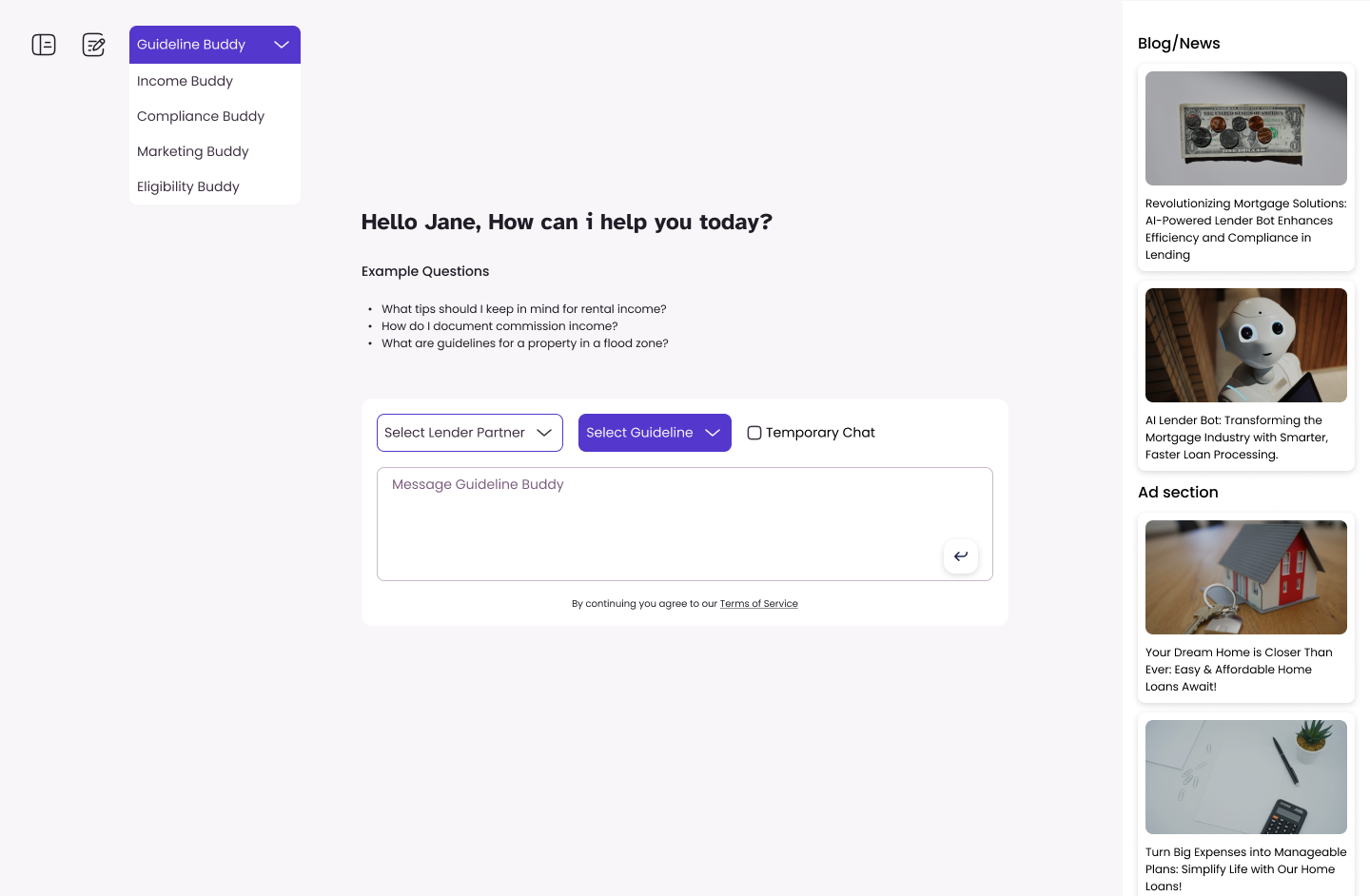
In the earlier design, which was live before the redesign, you picked a module first (Guideline, Income, Compliance, Marketing or Eligibility Buddy). Then you made your picks from dropdowns, such as a lender partner and a guideline, and only then typed.
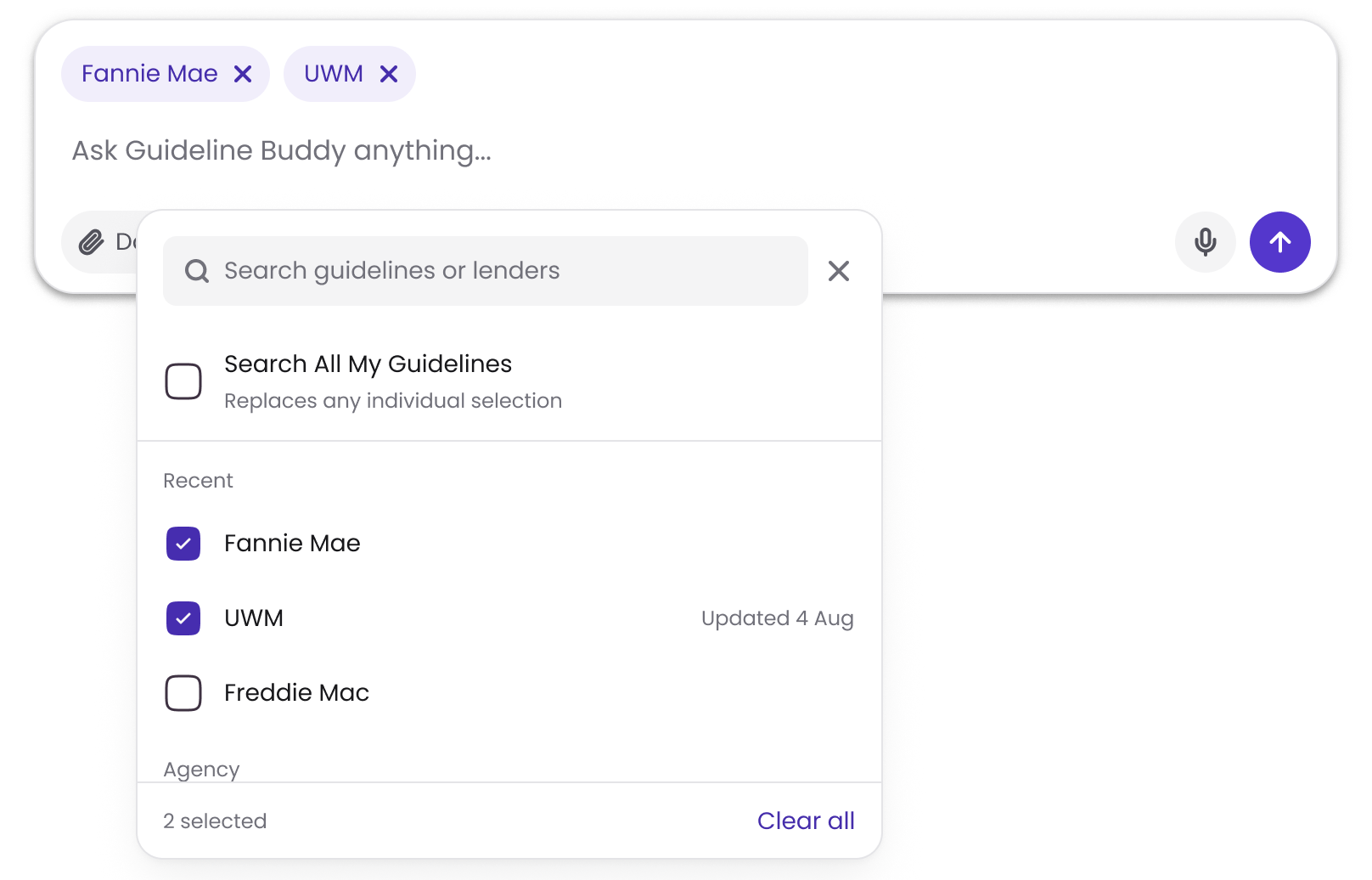
In the redesign, choosing guidelines is part of writing the question:
- The composer has two buttons, Documents and Guidelines. Whatever you pick sits in the composer as a chip you can remove, so the scope of the next question is visible where you type.
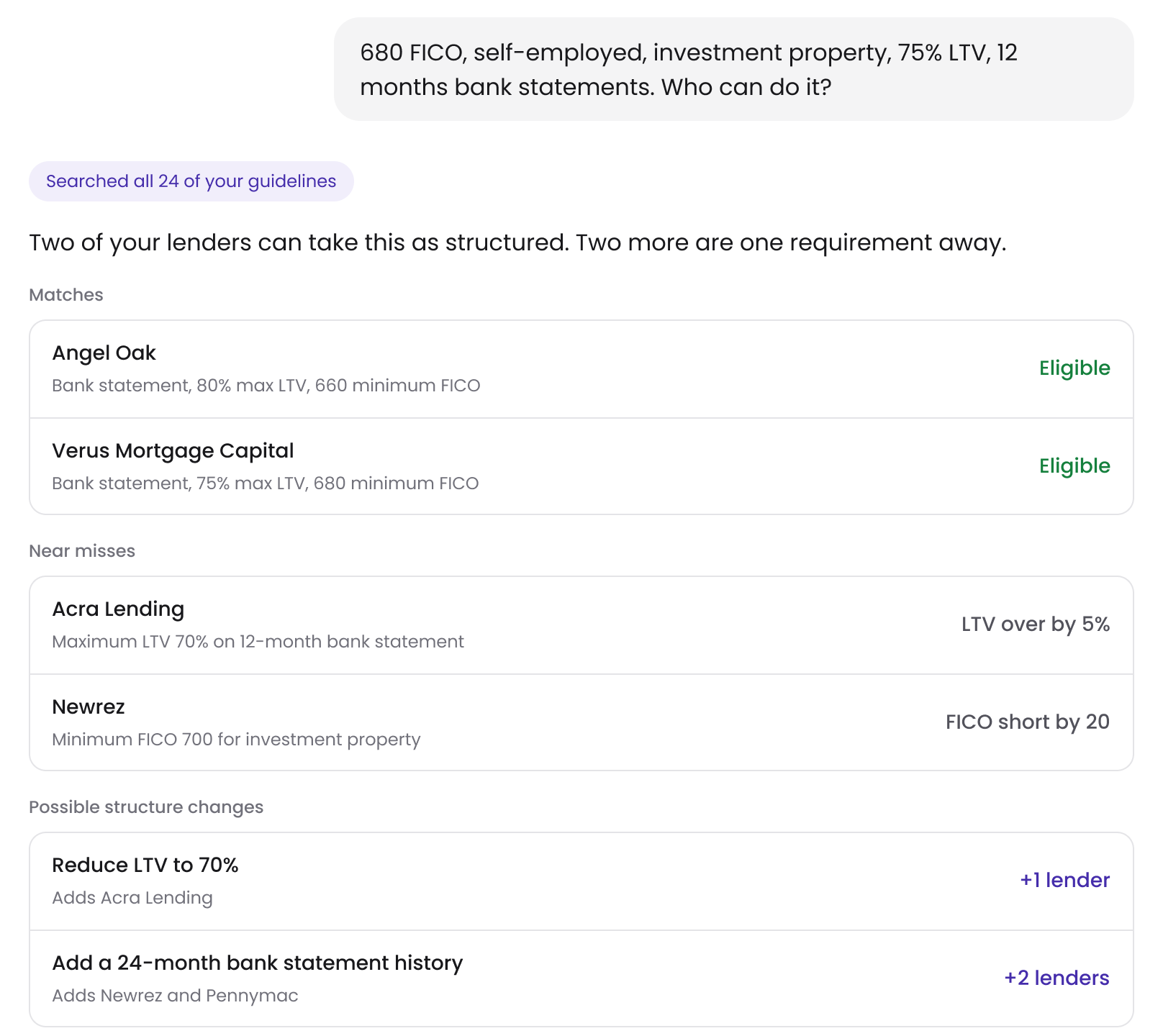
- You can pick one guideline, several, or all of them. A question asked across all of them says "Searched all 24 of your guidelines".
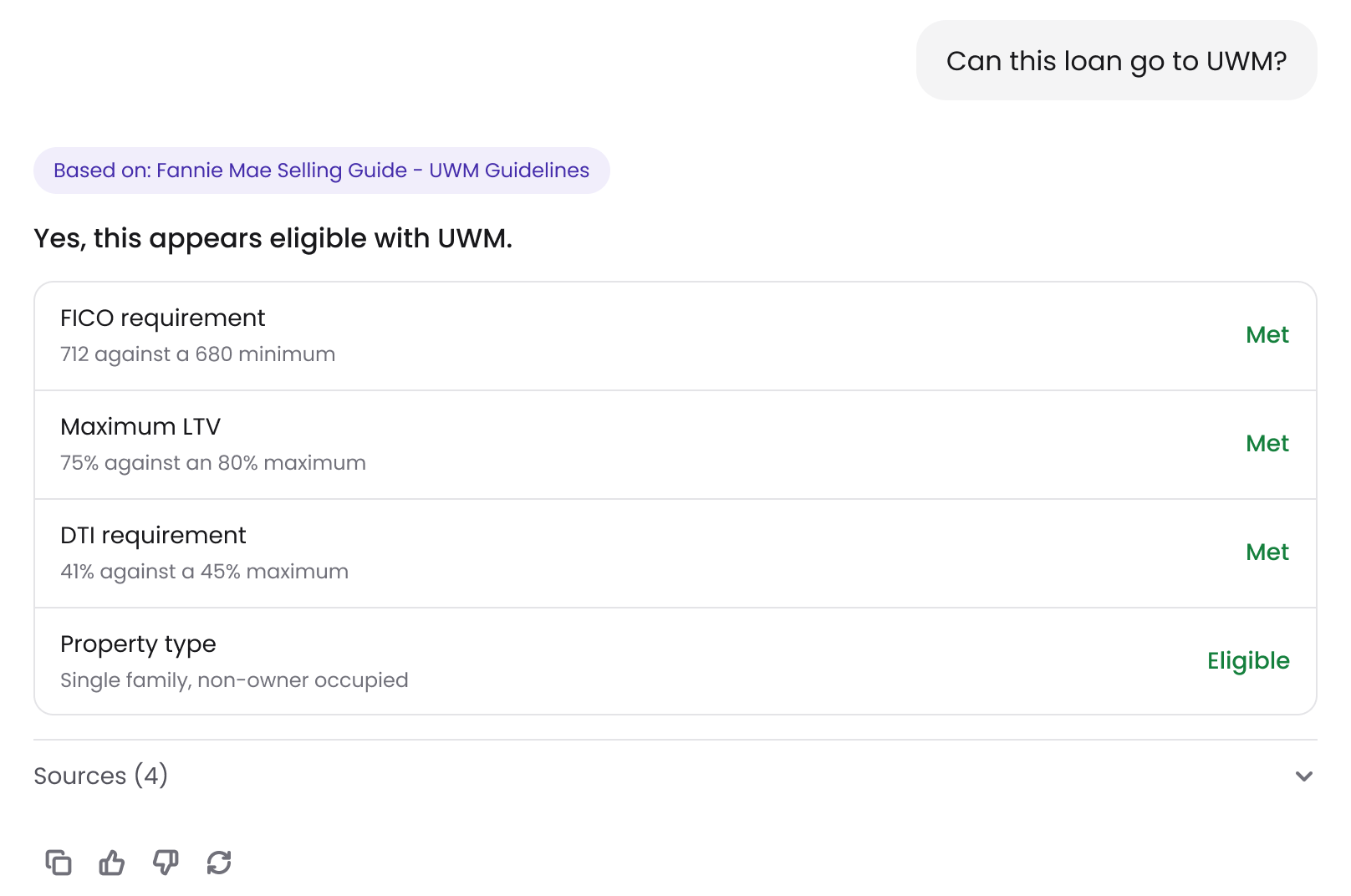
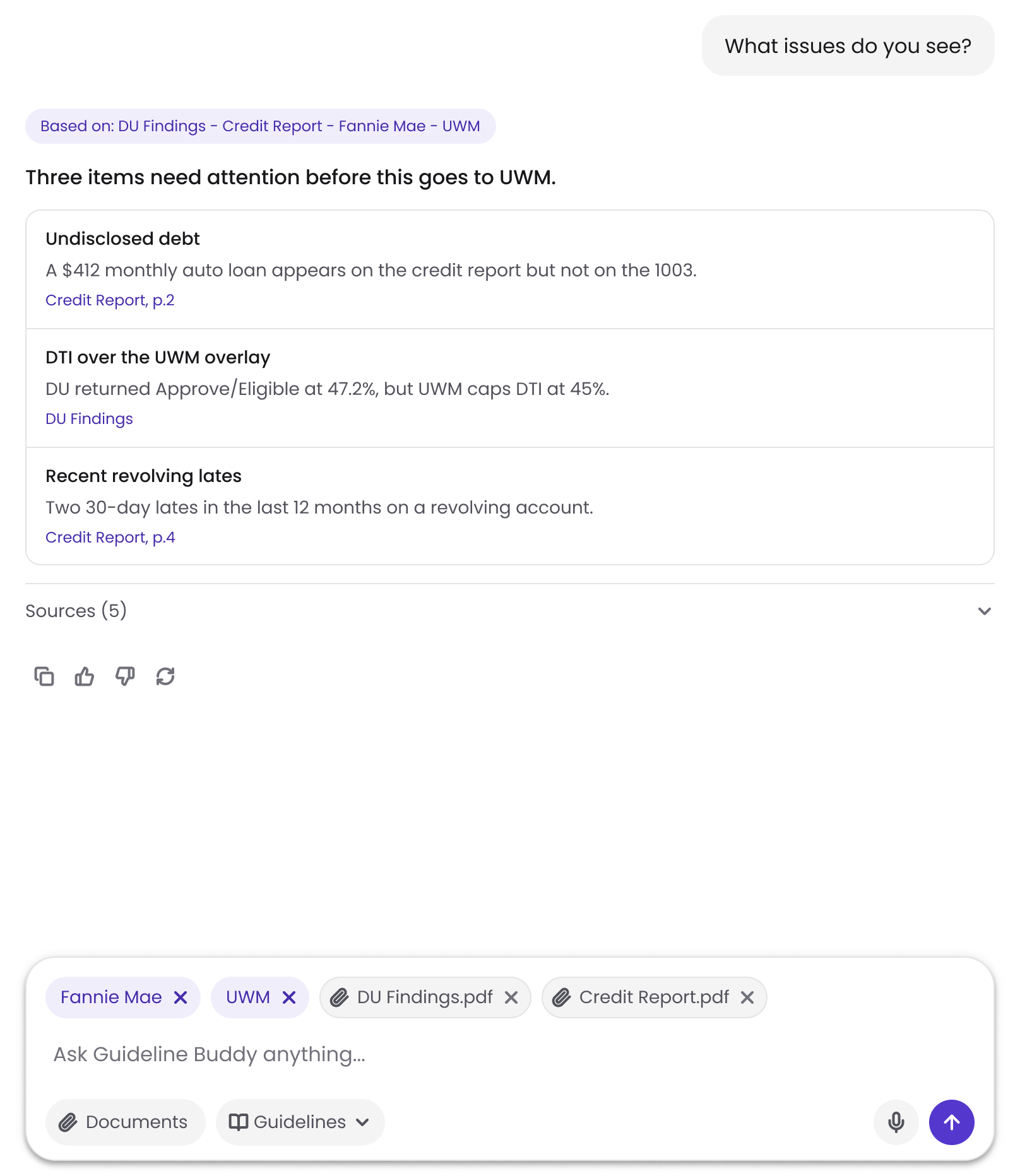
- Every answer opens with what it used, such as "Based on: DU Findings - Credit Report - Fannie Mae - UWM".
- With nothing selected, Guideline Buddy still answers. It says the answer is general and offers to add guidelines so it can be checked for a specific program.
Answers that show the rule.
- Requirement by requirement. An eligibility answer opens with the verdict, then lists each requirement against the lender's limit, such as "712 against a 680 minimum", marked "Met".
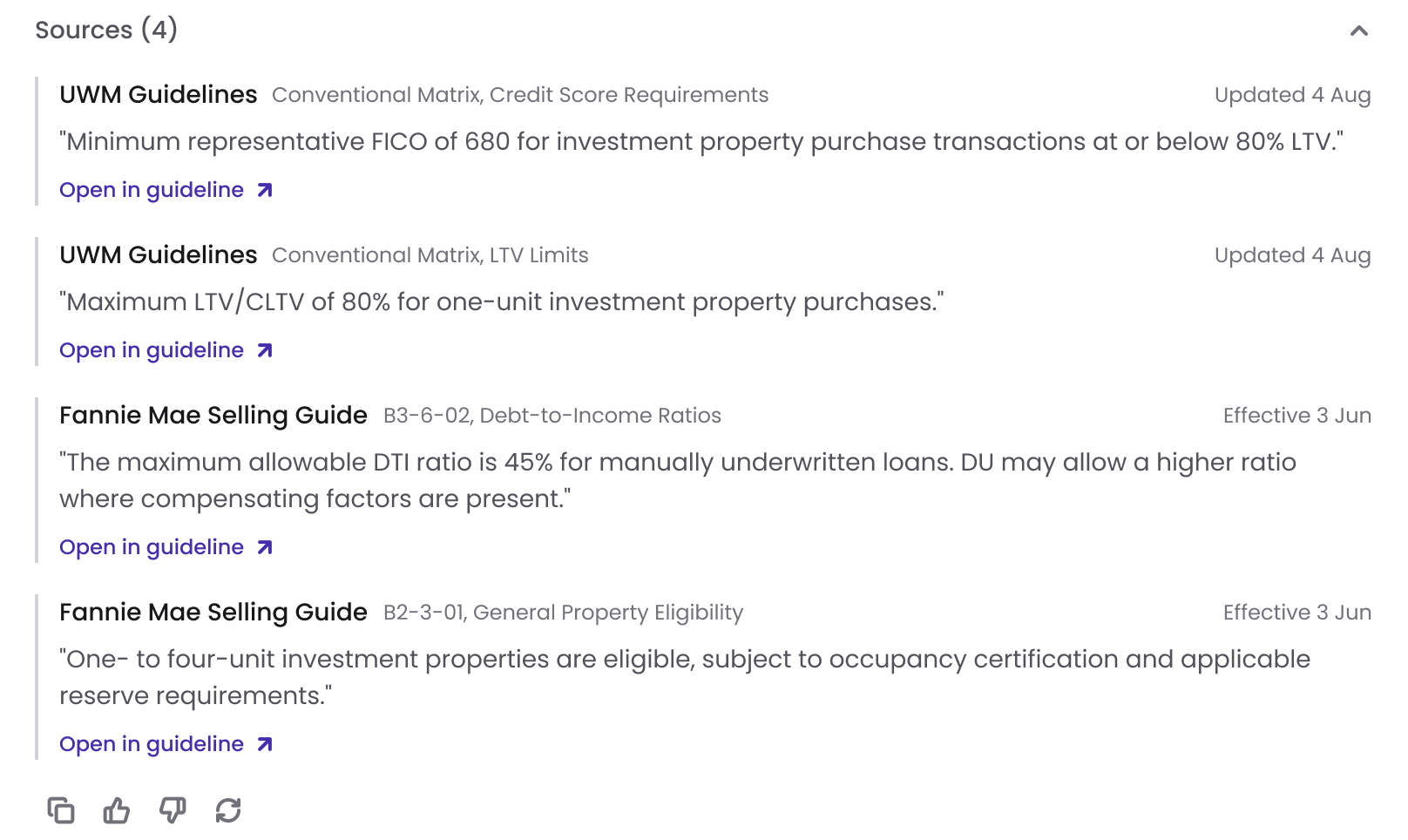
- Sources quote the rule. Each source shows the guideline, the section, its date and the rule itself in quotes, with a link to open the guideline. I decided on this because a loan officer can't act on an AI's paraphrase. With the exact wording on screen, they can check the answer themselves and point to the rule when an underwriter asks.
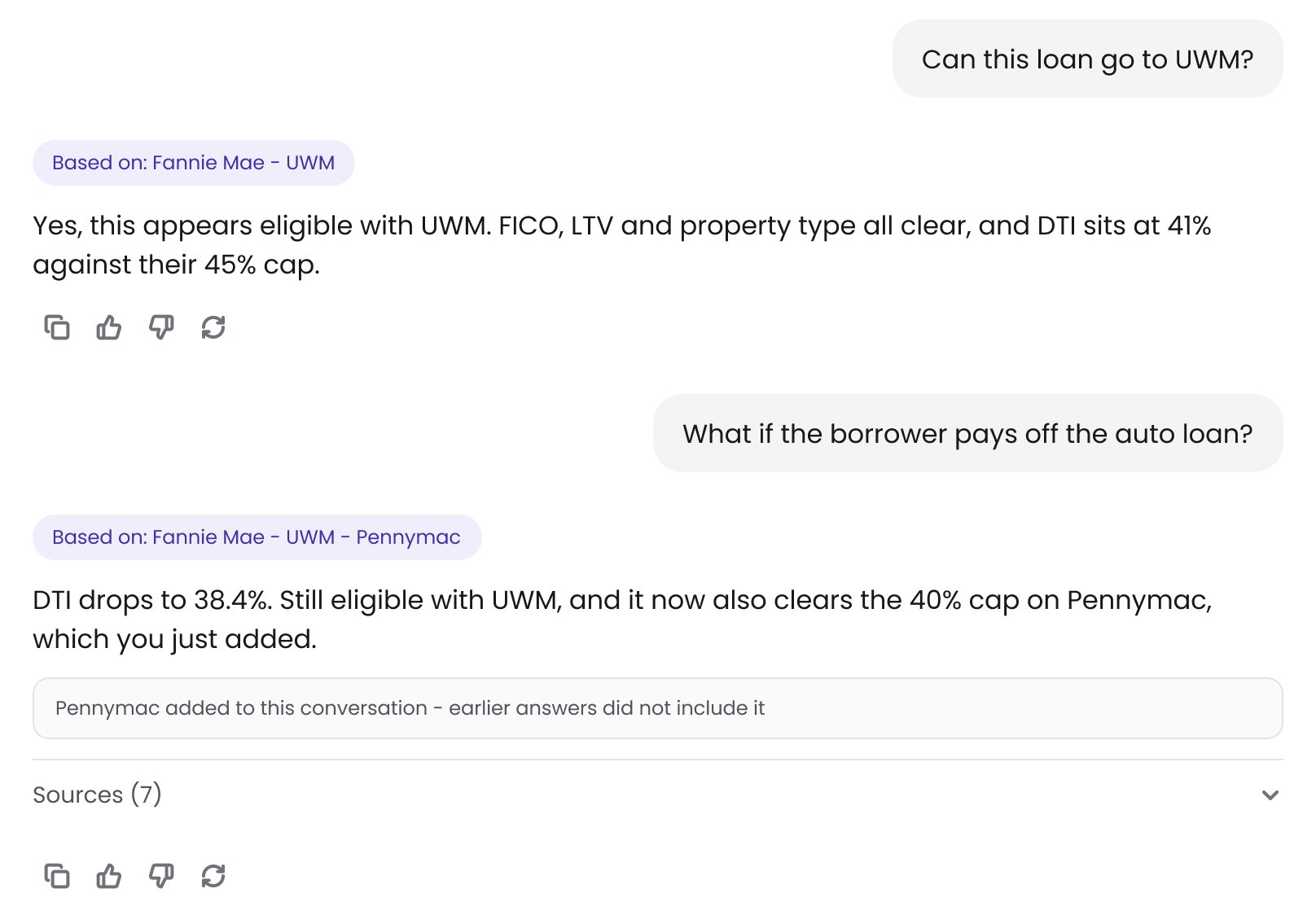
- Asking again. If someone adds a guideline after an answer, the answer says it wasn't based on that guideline and offers to ask again. The team decided this; I designed it.
- Changes in the thread. When guidelines are added or removed mid-conversation, the thread says so: "Pennymac added to this conversation - earlier answers did not include it".
Beyond one lender.
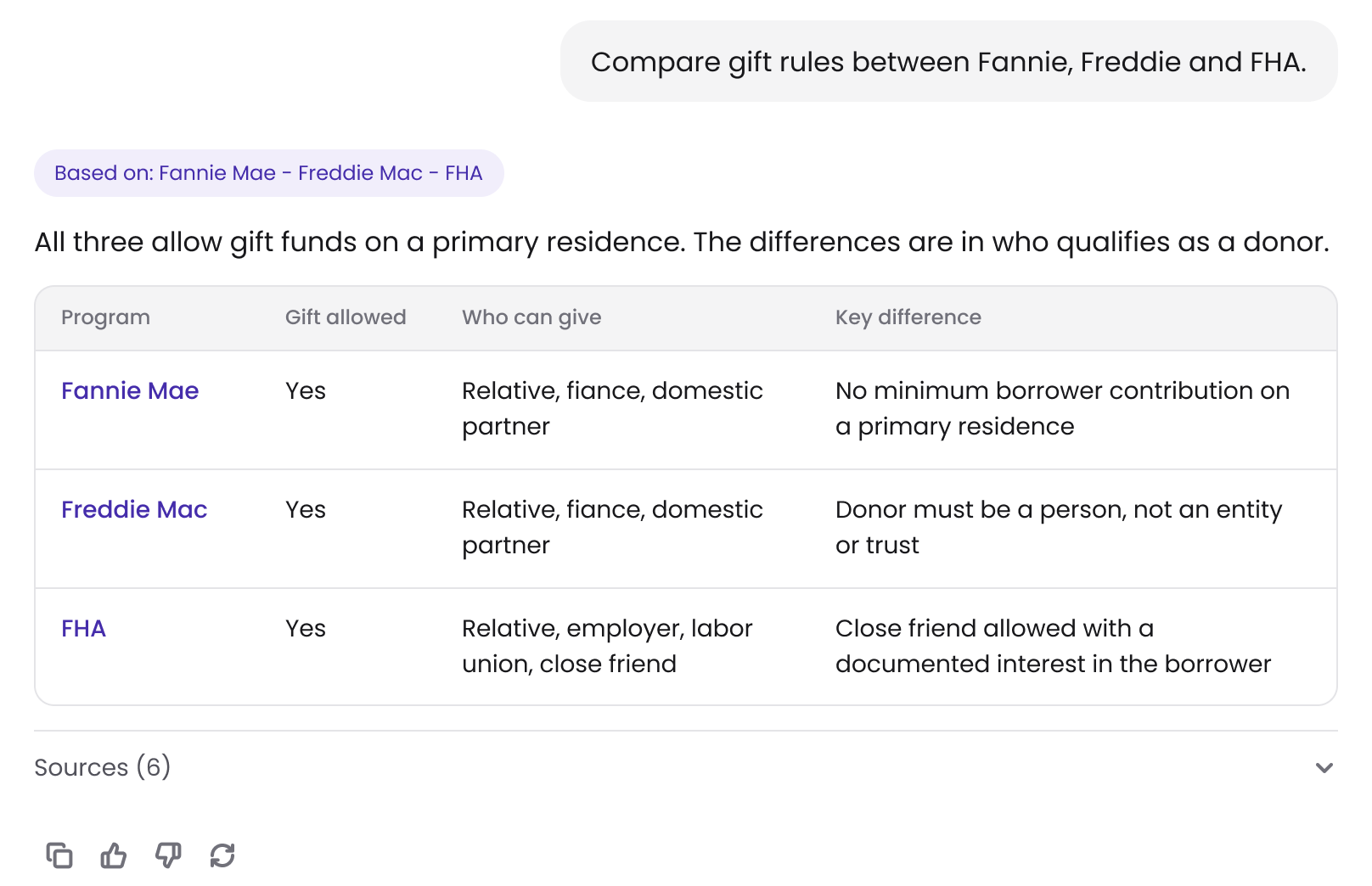
- Comparisons. "Compare gift rules between Fannie, Freddie and FHA" comes back as a table showing who can give and the key difference.
-
Matches and near misses. For a borrower's scenario, Guideline Buddy lists three things:
- the lenders who can take the loan as it's structured
- the lenders who are one requirement away, such as "FICO short by 20"
- the changes that would bring more lenders in, such as "Reduce LTV to 70%", marked "+1 lender"
The team decided on matches, near misses and suggested changes; I designed them.
- Document review. Attach a credit report and DU findings and ask what's wrong. Each issue names the document it came from, down to the page for the credit report ("Credit Report, p.2").
The first chat.
A ChatGPT user already knows what a chat model does. A loan officer has no way to guess that Guideline Buddy can compare programs, scan every lender or review a document.
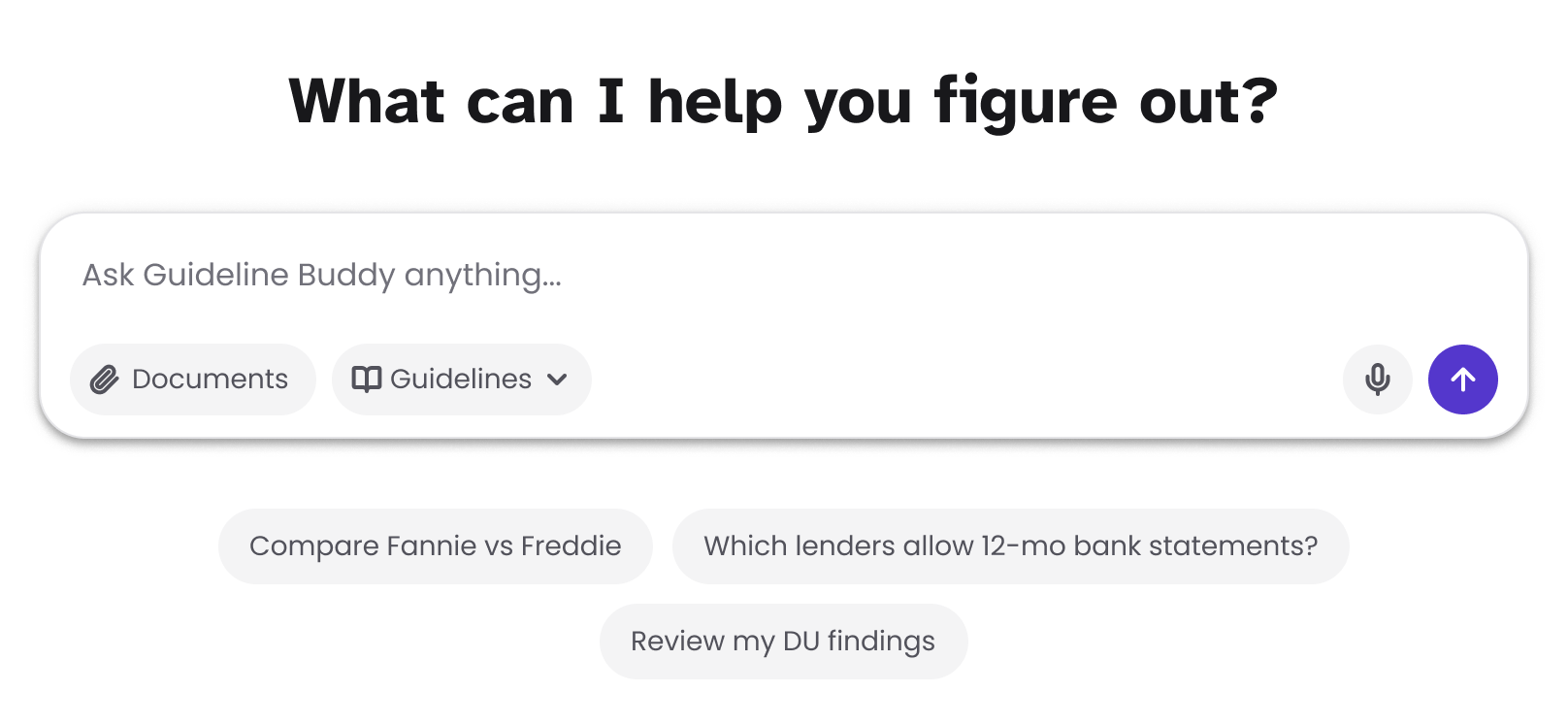
So I decided a new account's empty chat shows three suggestions: "Compare Fannie vs Freddie", "Which lenders allow 12-mo bank statements?" and "Review my DU findings". That teaching job is temporary. The suggestions retire once the account has a handful of conversations, and from then on an empty chat shows only the greeting and the composer.
When an answer is wrong.
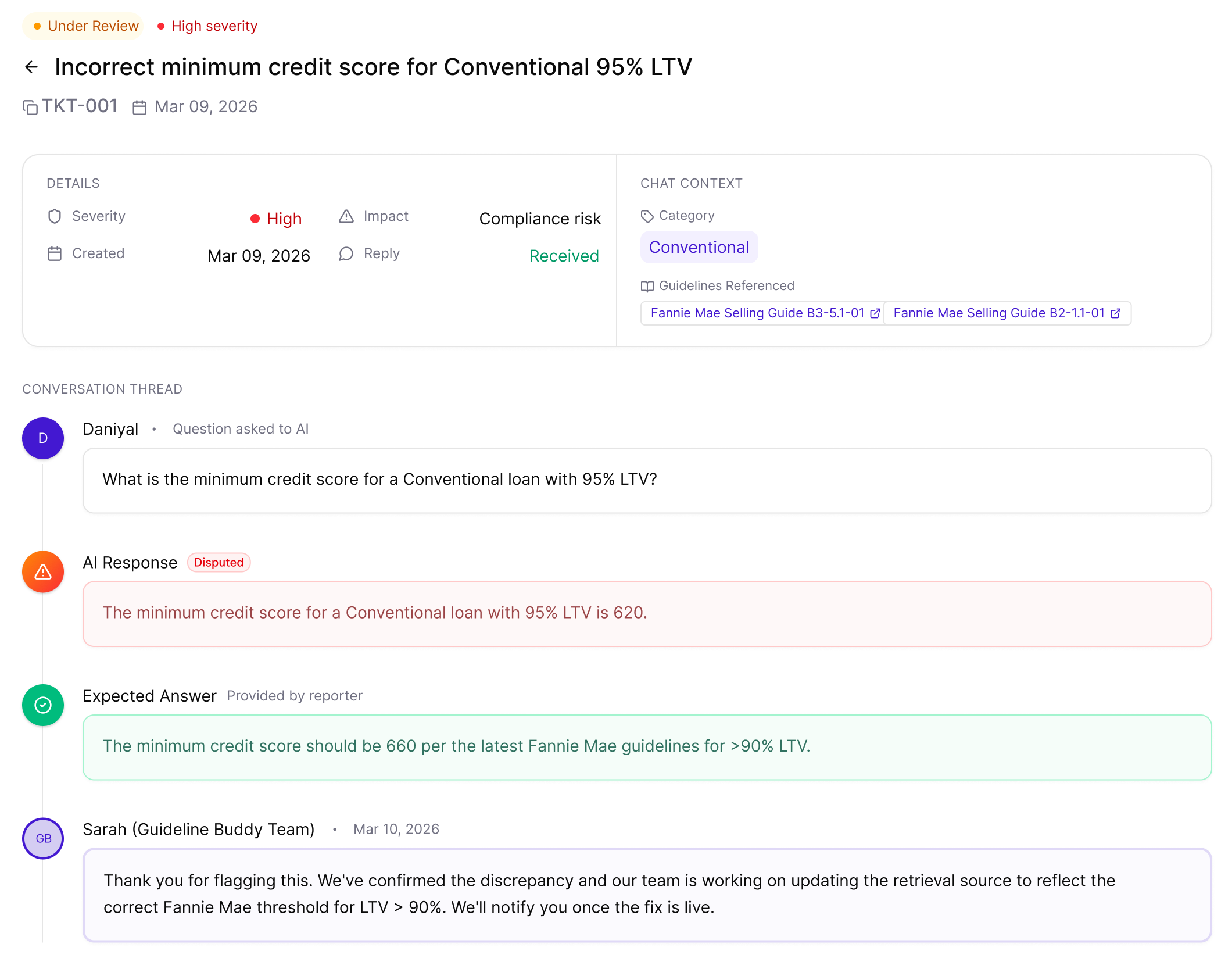
Escalation tickets were my call. Feedback told us an answer was bad, not what was wrong with it, and in mortgage a wrong answer can become a compliance problem.
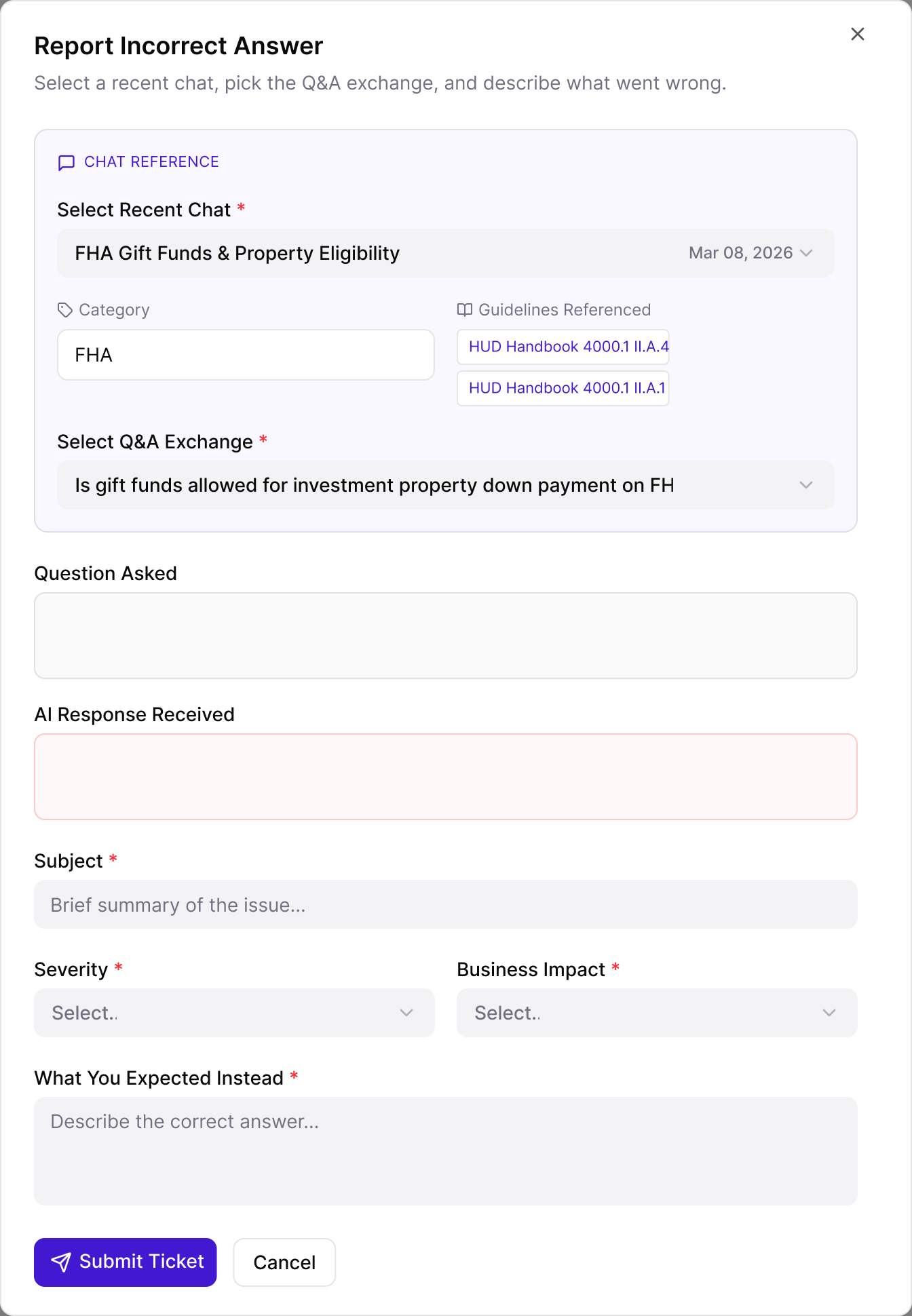
- A user files a report by picking the chat, then the exact question and answer, and the ticket carries the guidelines that answer used.
- They set the severity and the business impact, and write what the answer should have been.
- The ticket shows the disputed answer next to the expected one, and the Guideline Buddy team replies on the ticket. Each ticket moves from submitted to under review to resolved.
Tying each report to the exact question and answer, with what it should have said, gives the team something specific to fix and gives the user a reply.
The admin side.
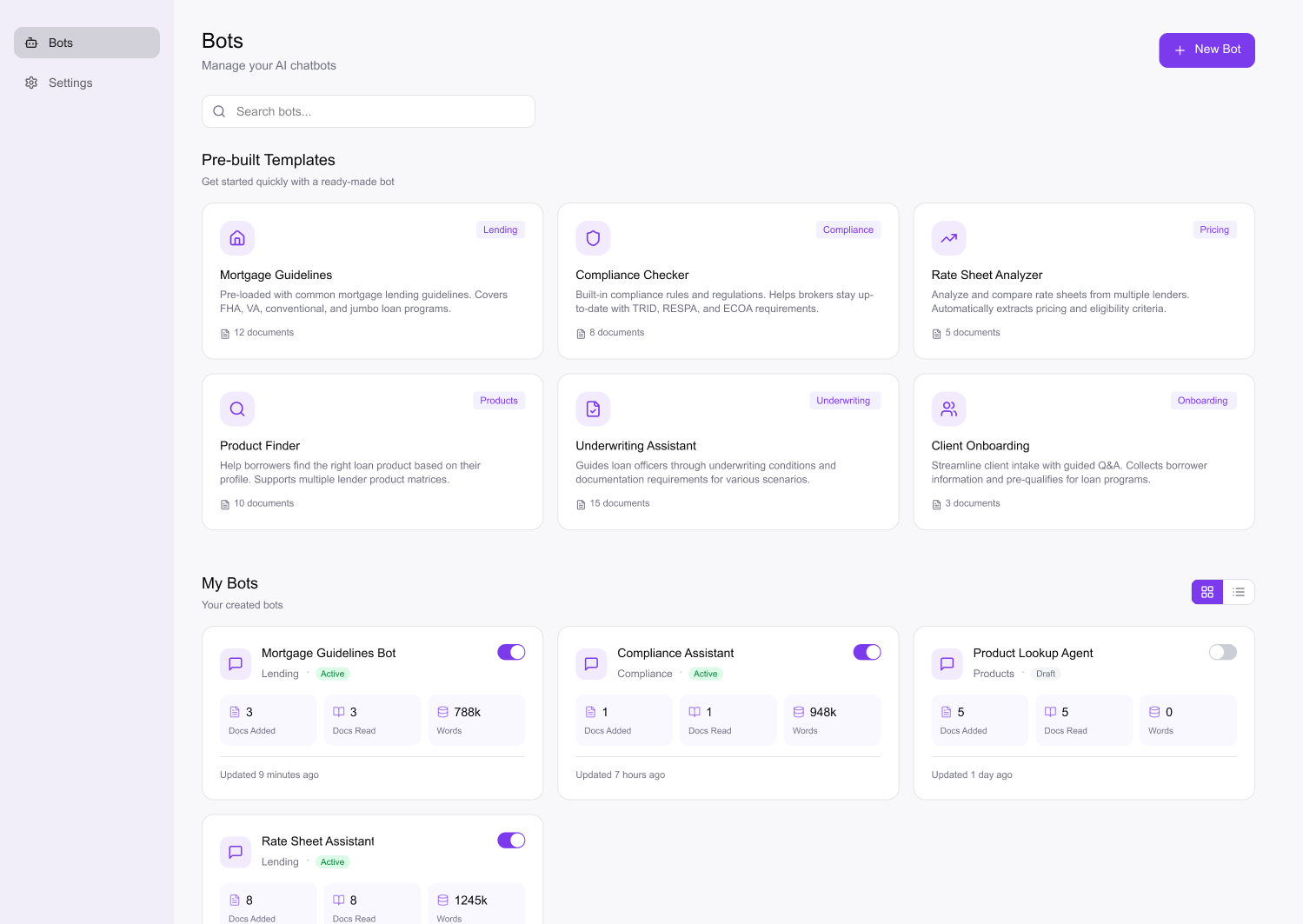
- Bots and knowledge bases. Admins build bots for their team, starting from templates such as Mortgage Guidelines, Compliance Checker or Rate Sheet Analyzer, and add their own documents. Every lender and broker works from its own overlays and documents, not only the agency guides everyone shares. Each bot shows its status (active or draft), the documents read next to the documents added, and when it was last updated. The read count tells an admin the bot has taken in what they uploaded.
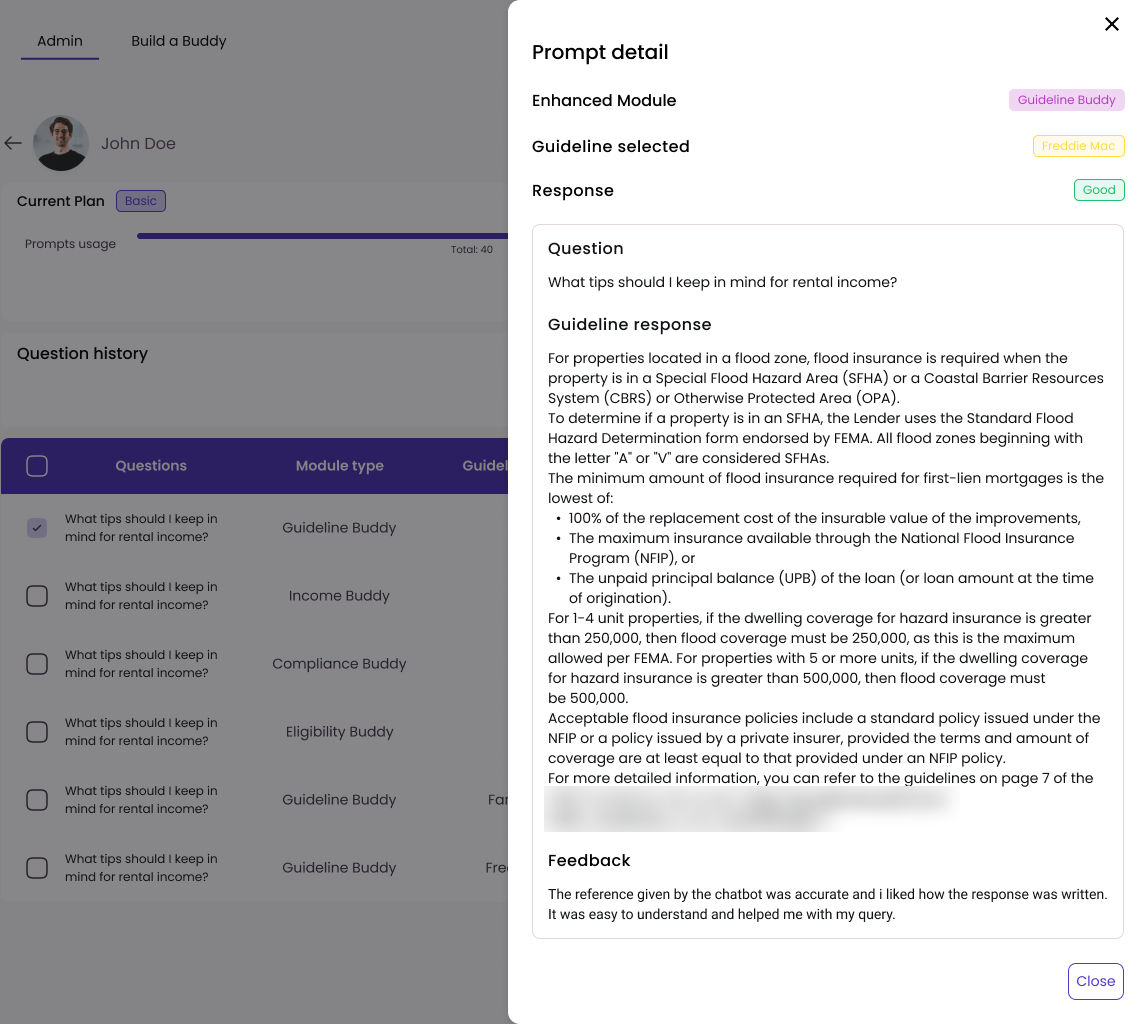
- Question history and feedback. For any user, an admin can see every question with the guideline it used and the date. They can open a question to read the answer and the user's feedback, and review all feedback in one place. This shows admins what their team actually asks and which answers people flagged. It tells them what to add to their bots and where their team needs training.